Run your whole life
from one place.
Tasks, calendar, notes, habits, and who still owes you money. One app, on a database only you can reach.
Free. No account, nothing to buy. Running in about fifteen minutes.
Built by Priyanshu Volvotkar
I was tired of bouncing between Notion, Todoist, Agenda, and Google Calendar just to get single cherry-picked features. So I combined the absolute best parts of each into one personal super-app.
The todo pane is inspired by Agenda’s multi-list view, projects blend Agenda and Todoist workflows, and project boards carry Notion's Kanban layout. If you don't like a feature, toggle it off in Settings — it doesn't just hide cosmetically, it completely unloads from your build.
It's a to-do list, a calendar, a habit tracker, a finance tracker, a notes app, and a project manager all in one. And it's self-hosted, so your data is yours alone.
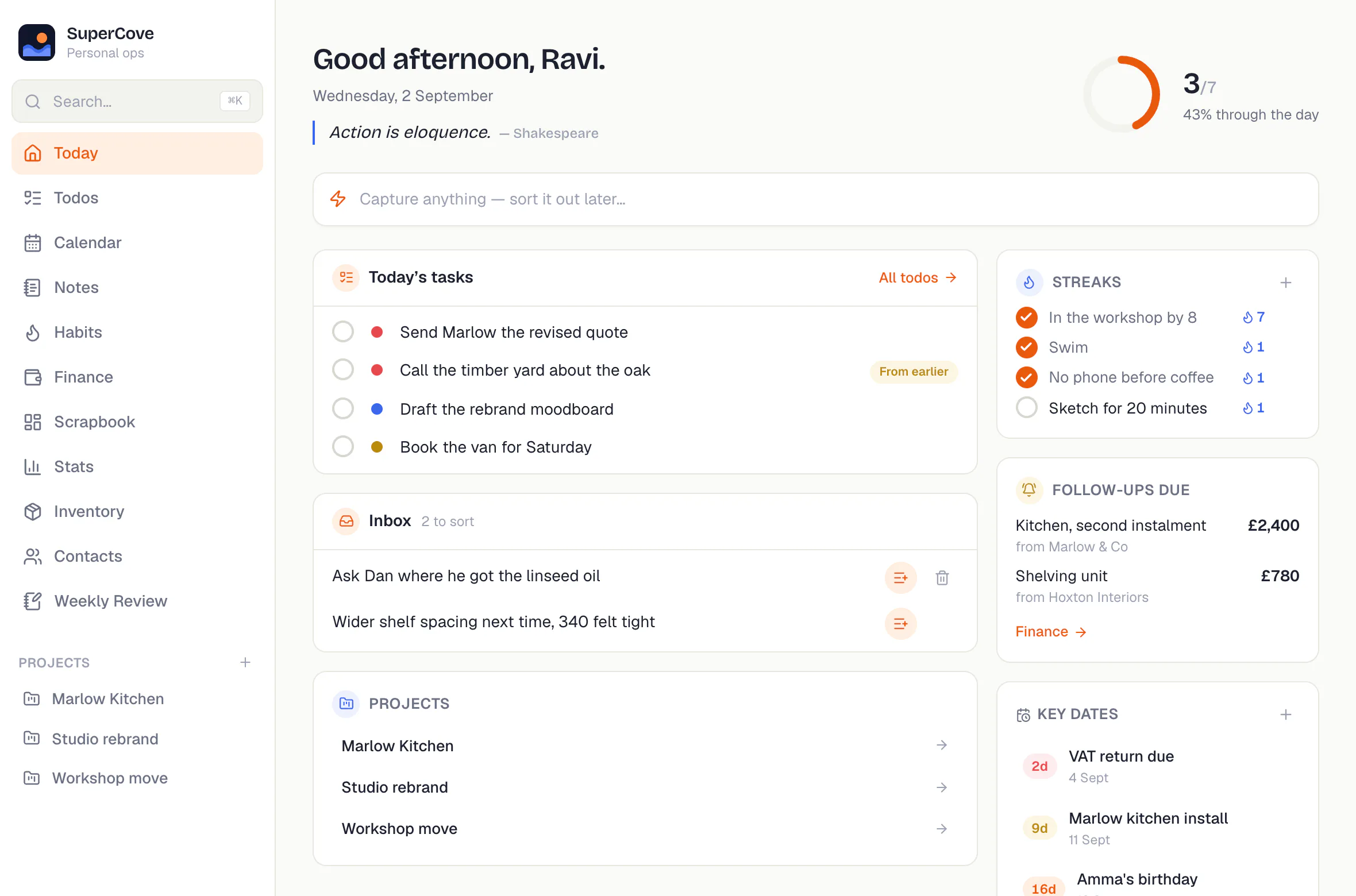
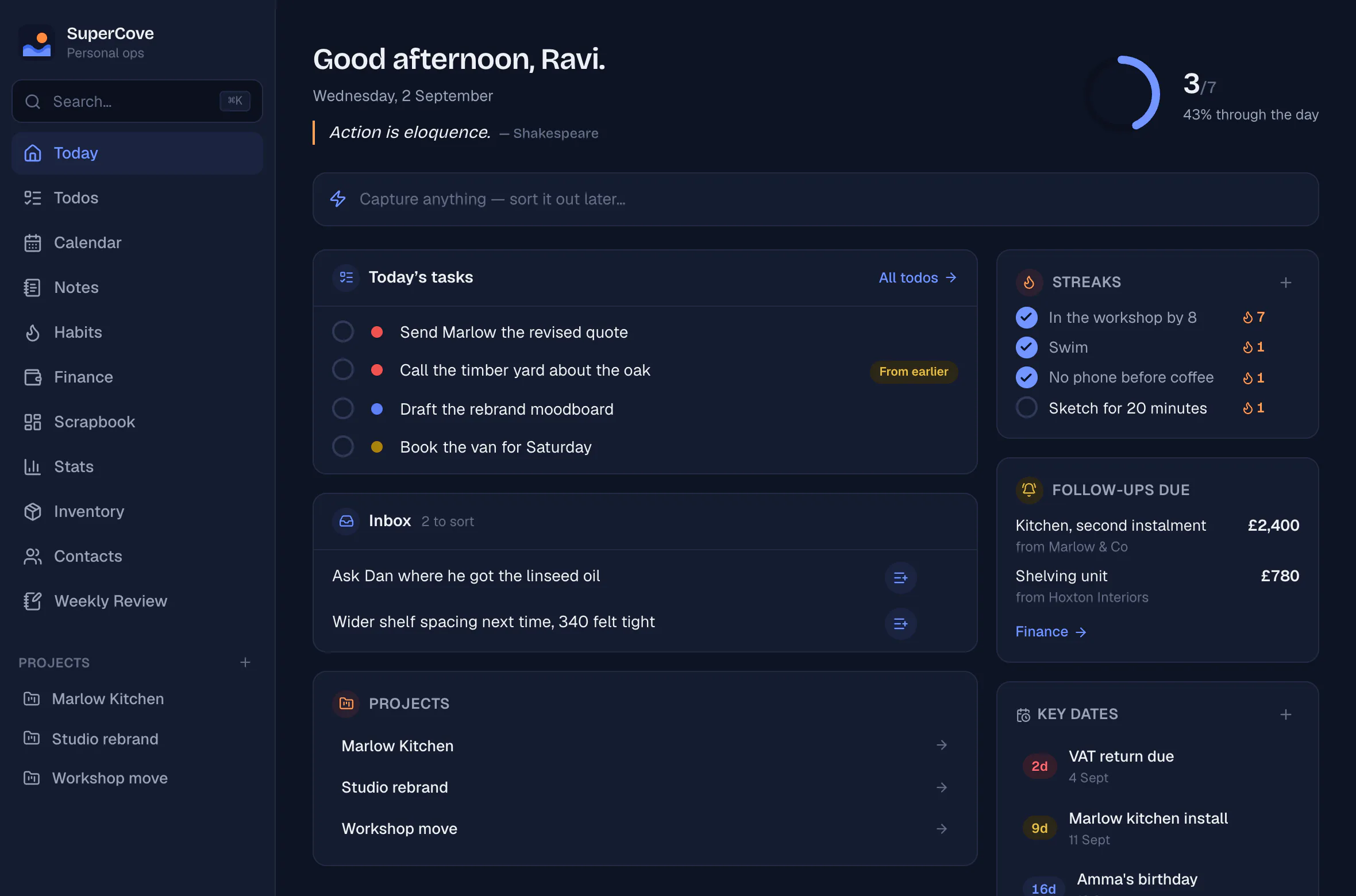
Today, on one screen
What is on, what slipped from yesterday, who owes you money and what is coming up. The top capture box holds thoughts until you're ready to triage them.
Shown in dark mode. The app adapts automatically to system preferences.
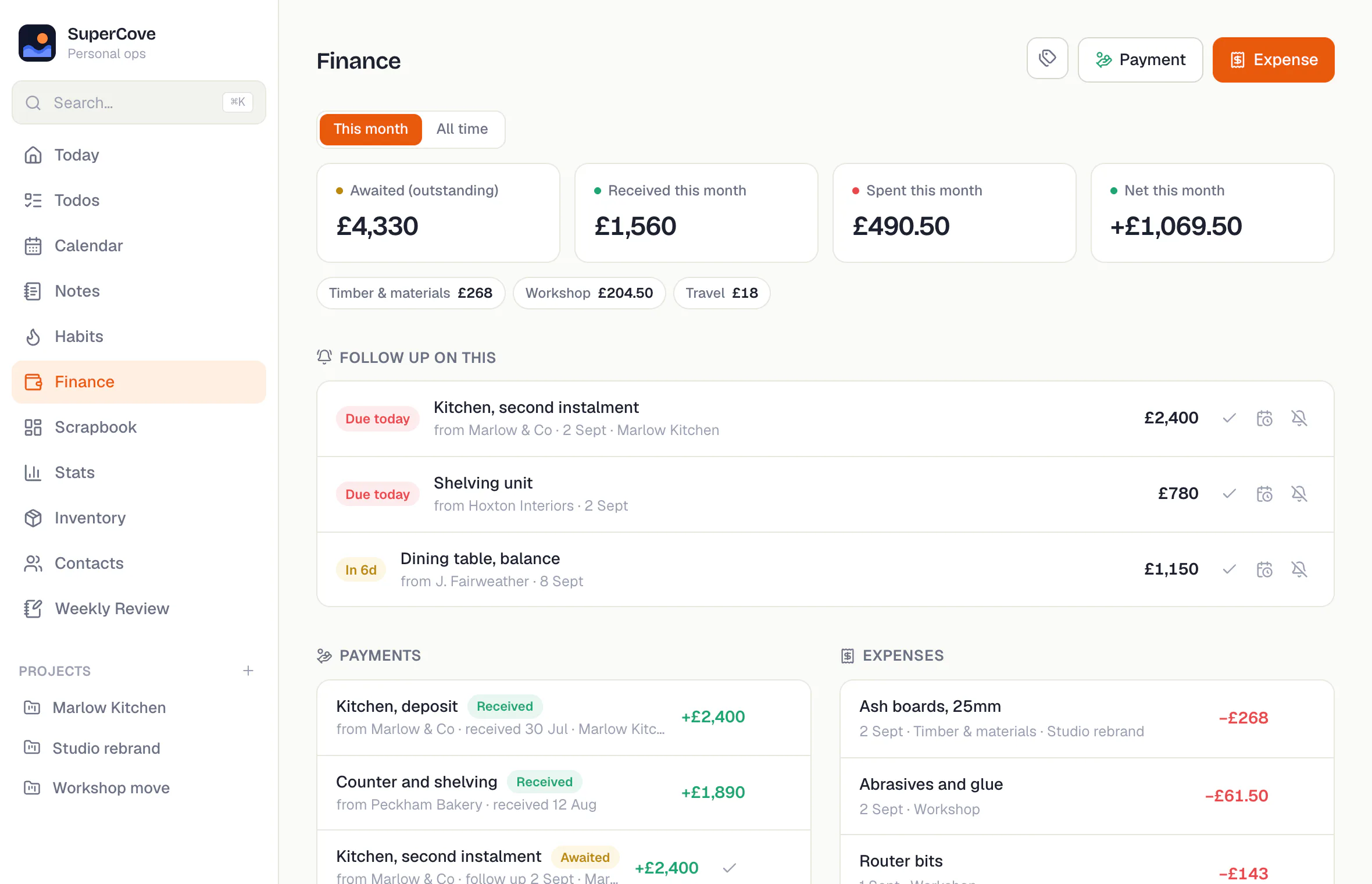
Know who owes you, and when to ask
Track money out and money in with explicit follow-up dates. Know exactly who is late on payment and by how much without digging through chats.
Currency and date formats require just one line of configuration.
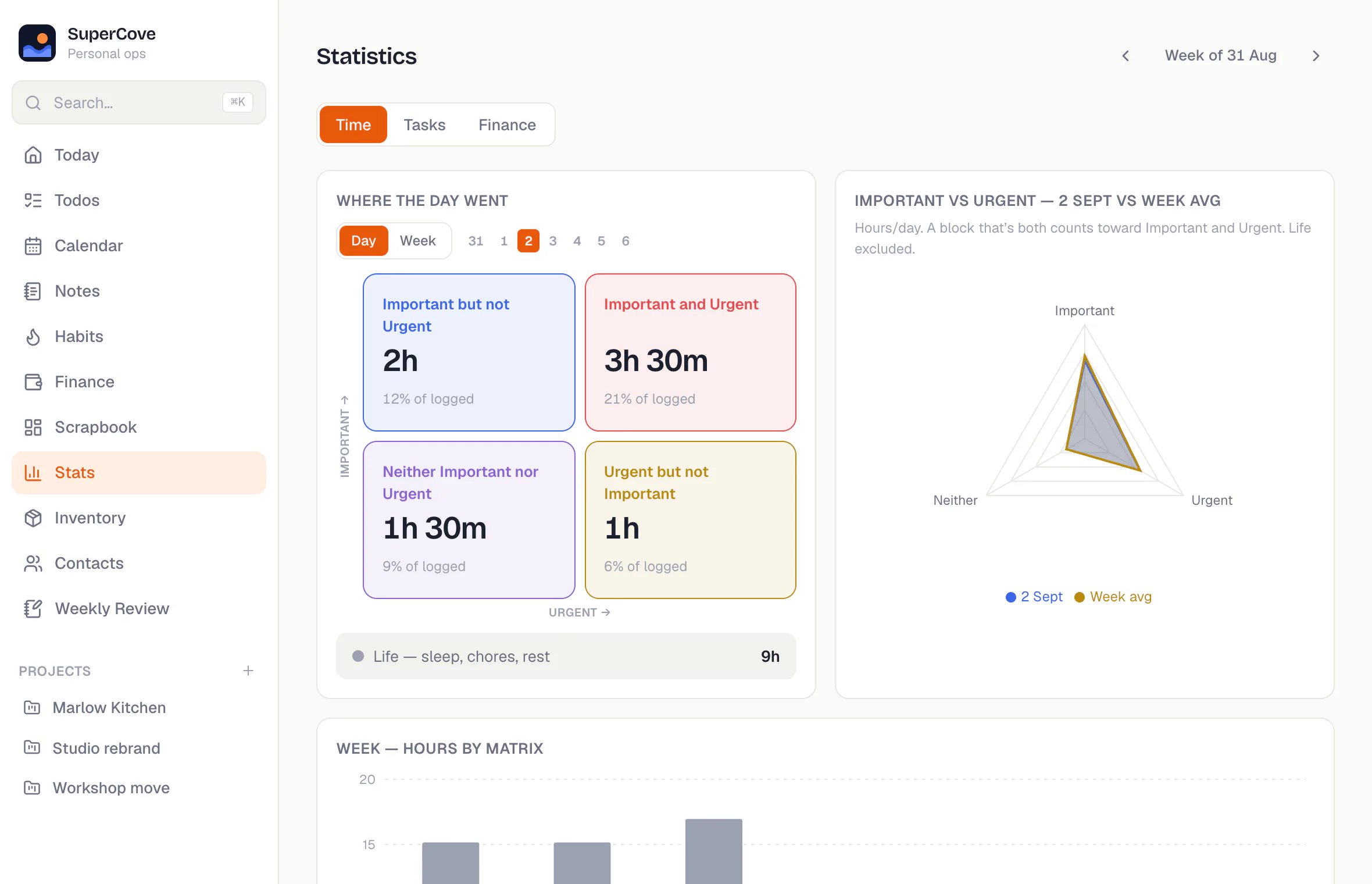
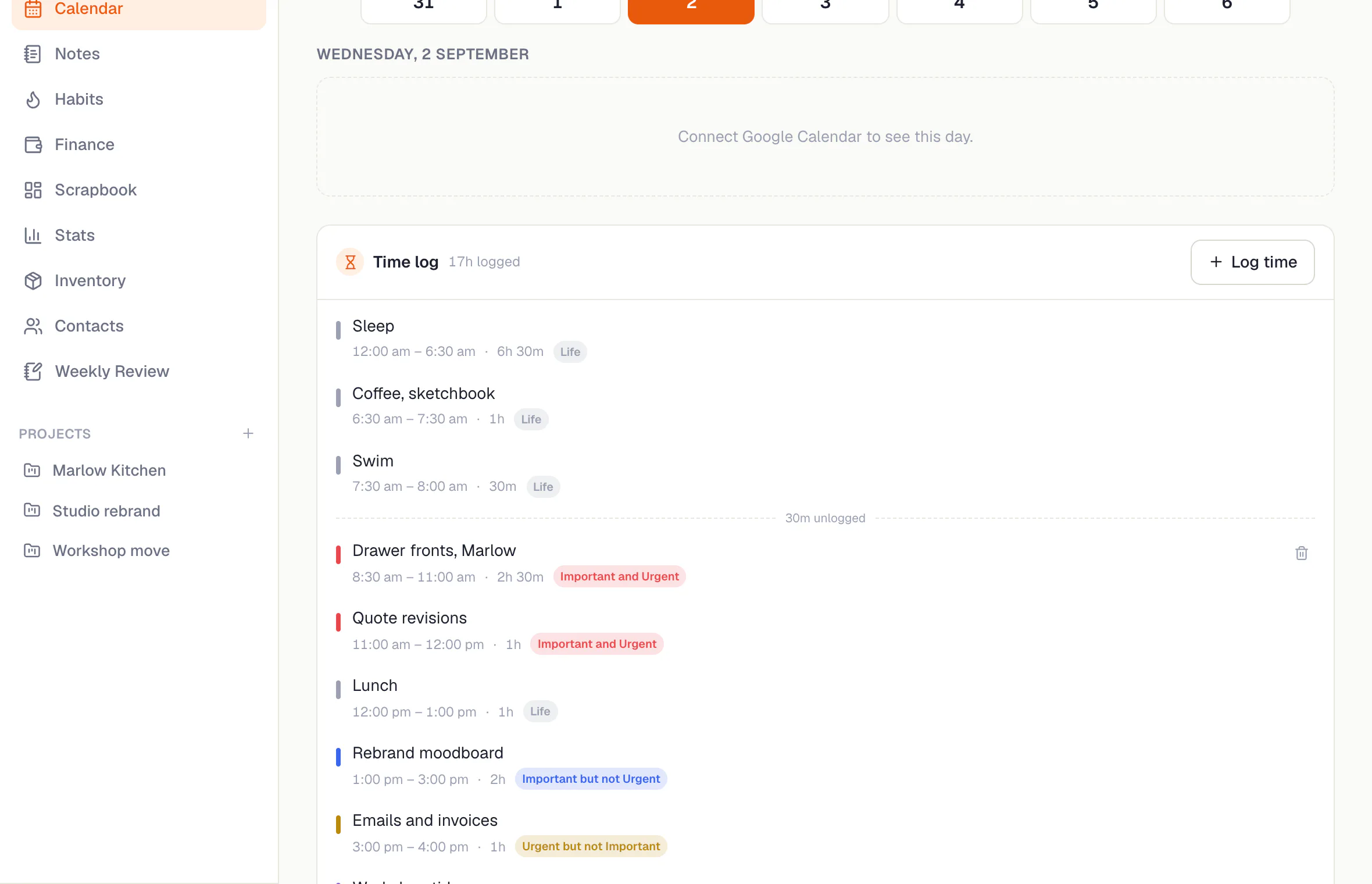
See where the hours actually went
Log time after the fact and tag it by importance or urgency. Charts take care of the awkward reality check. Sleep and lunch count as life, not wasted effort.
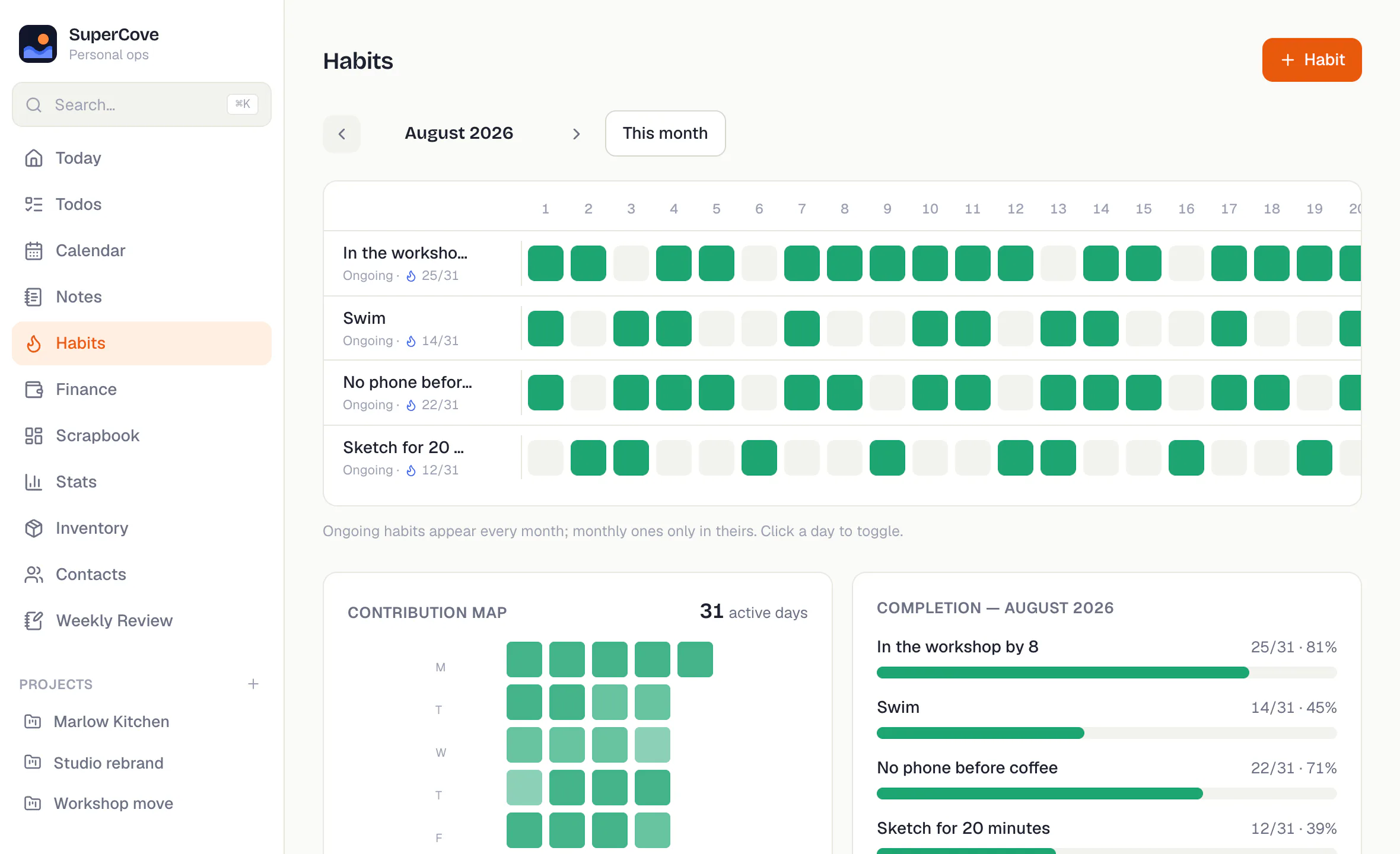
Habits, one month at a time
A bad fortnight shouldn't ruin your entire month. Track progress visually using grids that celebrate consistency over strict perfection.
Notes, projects, and modular tools
Markdown notes with attachments, project Kanban boards, contacts, weekly reviews, and custom asset logs. Unused modules can be shut off completely.
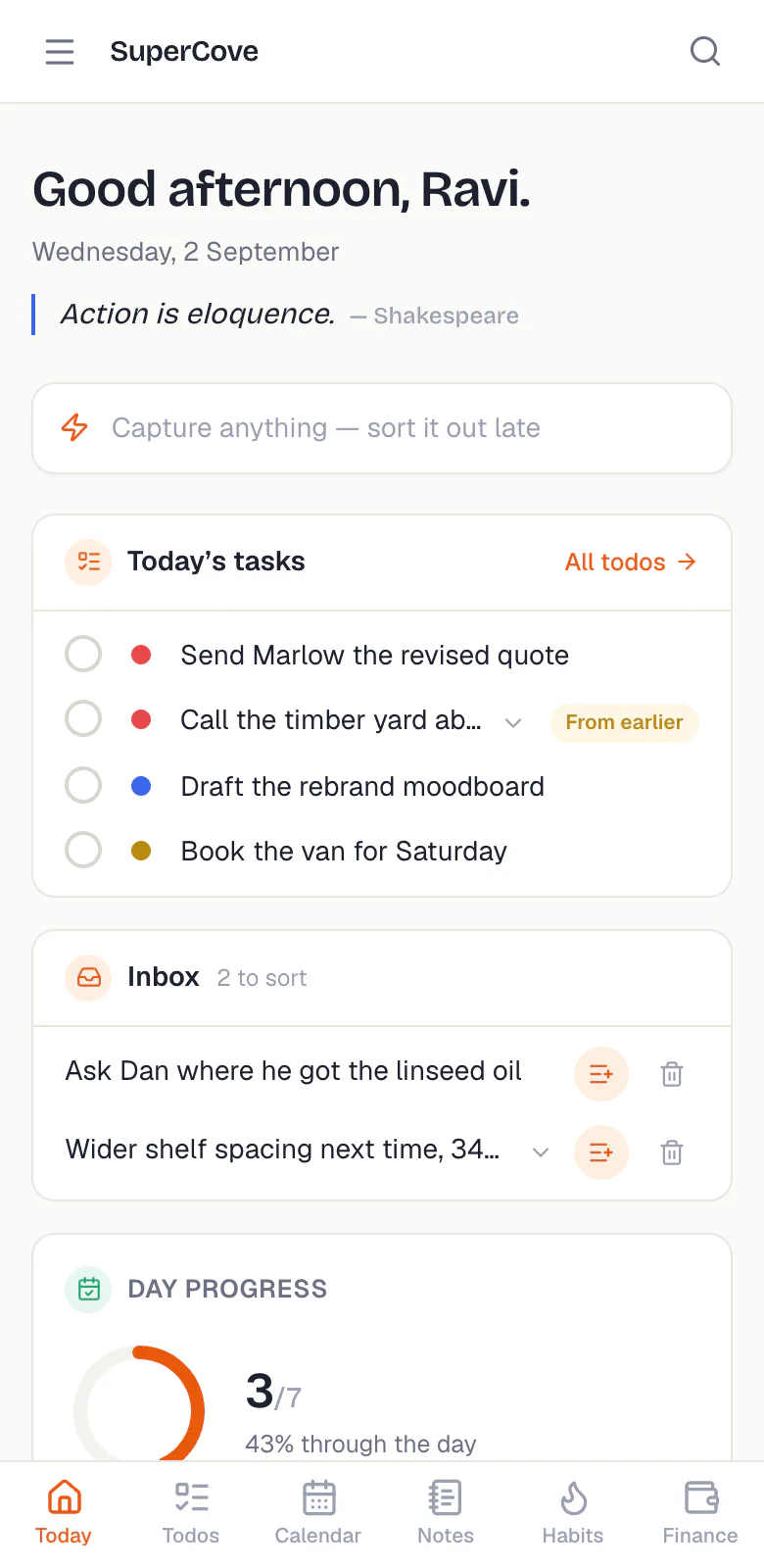
It works on your phone, even offline
Install SuperCove directly from your browser as a PWA. Everything loaded stays readable offline, and anything you write while out syncs the moment connection returns.
Absolute Data Ownership
SuperCove connects directly to a Supabase project you own. Nobody sits between you and your data. No middleman servers, no corporate harvesting.
Three steps and a database
All you need is Node.js and a free Supabase project.
1Get the code
Clone the repository and install dependencies:
git clone https://github.com/volvotkar/SuperCove-OSS.git
cd SuperCove-OSS && npm install2Link your database
Connect your Supabase project reference and push schema migrations:
npx supabase link --project-ref YOUR_REF
npx supabase db push3Authorize your email
Add your personal email to the allowlist in Supabase SQL editor
before running npm run dev:
-- Run in Supabase SQL Editor
insert into public.allowed_emails
values ('[email protected]');
Host on Vercel, Netlify, or Cloudflare Pages. Review deployment routes in the deploy guide.
Built to be Modified
I built SuperCove after cherry-picking the best features from the tools I use daily. And I've used it daily for months, moving knobs along the way. My SuperCove is constantly evolving and super personalised. And I want yours too feel personal too. That's the whole philosophy behind this project. YOUR personal superapp. Build on top of it and make it your own. Are there bugs? Absolutely. Some I'm squashing, others waiting to be found. That's why it's open source.
Software development has changed a lot in recent years, especially
now that most code is written by AI. SuperCove was built with this
in mind, using AI-assistance. The repo includes a thorough
AGENTS.md and comprehensive architecture docs, so
Cursor, Claude Code, and AI tooling know project conventions right
out of the box.
Community Challenges & Fork Ideas
Want to build on top of SuperCove? Here are a few challenges I'd love to see the community tackle:
- Local LLM Integration: Build an AI agent layer over your personal Supabase knowledge base.
- 100% Offline Mode: Package an option to run the entire backend fully offline on local SQLite.
- Custom Modules: Build your own workflow widgets and send a PR back to the project.
Open-Source Licensing & Deep Dive
SuperCove is open source under the AGPL-3.0 License. Anyone modifying or using this codebase commercially must adhere to the AGPL terms and keep their source code open to the community. This license was intentionally chosen to ensure that the community benefits from any improvements or modifications made to the project.
Read the complete story and design decisions in the launch post: blog.priyanshuvolvotkar.in/post/supercove.